Example 1
The Record Template XML for our first example is:
<template>
<tuple>
<atom name="DetProductType">Product Type</atom>
<atom name="DetProductStatus">Status</atom>
<atom name="DetReceiptText"><input cols="50">
<prompt>Enter the Receipt Text:</prompt>
<help>Enter the text that will display on the receipt.</help>
</input></atom>
</tuple>
</template>
The Template is used to create
Product Typein the DetProductType field.Statusin the DetProductStatus field.- Asks for text to display on the Product receipt and sets the DetReceiptText field to the value entered.
The Input Values screen used to request
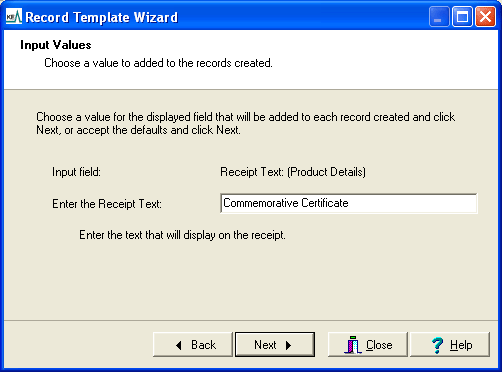
Notice how the input prompt and help use the text specified in the Template XML.
Example 2
In this example we set up a Record Template for the Multimedia module that copies a selection of fields and asks the user for the Title, Creator and Description. The input fields do not have to have a value, but are initiali
<template maxrecords="10" setIRN="no">
<tuple>
<table name="DetSubject_tab"><source name="DetSubject_tab"/></table>
<table name="DetContributor_tab"><source name="DetContributor_tab"/></table>
<table name="DetLanguage_tab"><source name="DetLanguage_tab"/></table>
<table name="DetRelation_tab"><source name="DetRelation_tab"/></table>
<table name="DetDate0"><source name="DetDate0"/></table>
<atom name="DetResourceType"><source name="DetResourceType"/></atom>
<atom name="DetPublisher"><source name="DetPublisher"/></atom>
<atom name="DetCoverage"><source name="DetCoverage"/></atom>
<atom name="DetSource"><source name="DetSource"/></atom>
<atom name="DetRights"><source name="DetRights"/></atom>
<atom name="MulTitle"><input cols="30" mandatory="no">
<prompt>Enter the Media Title:</prompt>
<help>Enter the title of the media.</help>
<value><source name="MulTitle"/></value>
</input></atom>
<table name="MulCreator_tab">
<tuple>
<atom><input cols="30" mandatory="no">
<prompt>Enter the Media Creator:</prompt>
<help>Enter a description of the media.</help>
<value><source name="MulCreator_tab" rows="1"/></value>
</input></atom>
</tuple>
</table>
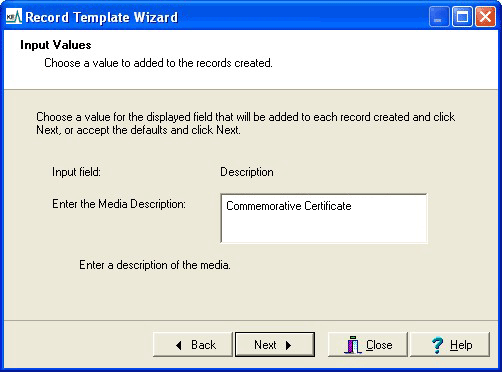
<atom name="MulDescription"><input rows="3" cols="40" mandatory="no">
<prompt>Enter the Media Description:</prompt>
<help>Enter a description of the media.</help>
<value><source name="MulDescription"/></value>
</input></atom>
</tuple>
</template>
Notice how the first value of the MulCreator_tab table is extracted as the default value for the media creator. The picture below shows the Input Values screen for media description: